Your Network.
Fully Managed.
Billing and customer management for ISPs running MikroTik in Kenya, Tanzania, Uganda and Rwanda: automatic invoices and reminders, PPPoE and hotspot control, online payments through mobile-money and card gateways, and a self-service portal for your customers.
Integrations
MikroTik, payment gateways, SMS and email
Customers can pay with M-Pesa, Airtel Money, MTN, Tigo Pesa, HaloPesa and cards through Pesapal, Flutterwave and ClickPesa. You connect your own account with each provider, and payments go straight to you.
Stop chasing payments.
Start growing your ISP.
Watch what running an ISP looks like — with and without Sentinel. Every item below is a real operator’s daily reality.
Without Sentinel
Your life right now
With Sentinel
Your life in 10 minutes
Matching mobile-money payments to invoices by hand
Hours of copy-paste, and mistakes you find at month end.
Chasing customers on WhatsApp to pay their bills
Awkward, ignored, and tiring.
Forgetting to cut off accounts that never pay
Free internet for non-paying customers.
No idea which plans actually make money
Flying blind while your margins shrink.
Customers calling at midnight about their bill
No personal time, no peace.
Writing voucher codes out by hand
Errors, delays, queues at the counter.
Online payments are matched to the invoice automatically
Every payment is confirmed with the provider before it is credited.
SMS reminders go out on their own
Before the due date and when a bill is overdue. Add WhatsApp and email with your own gateway.
Overdue accounts are suspended automatically
After the grace period you choose, and switched back on when payment clears.
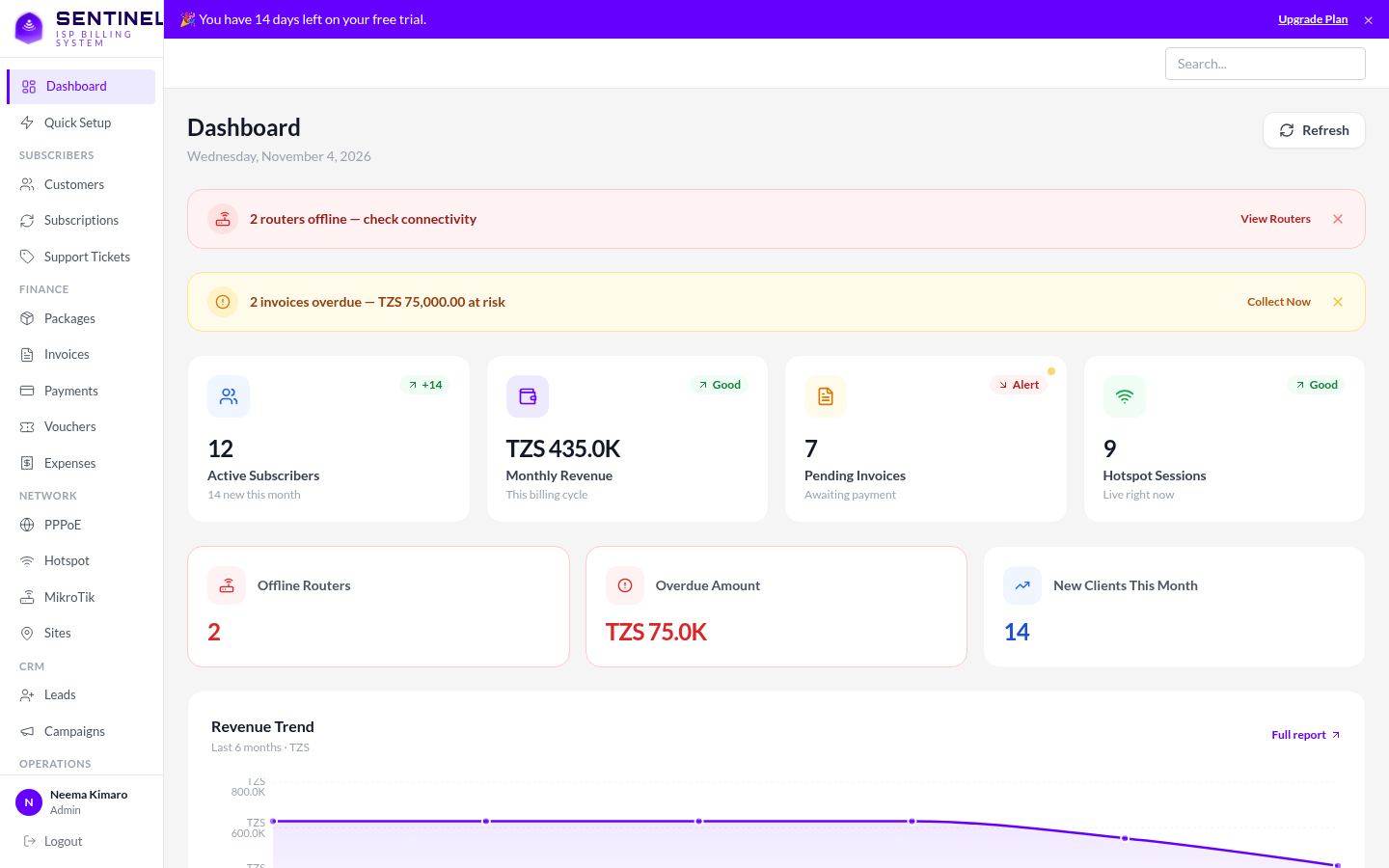
A live dashboard with revenue and plan breakdowns
See what you collected, what is overdue, and who is online.
A self-service portal, open 24/7
Customers log in with their phone number to see invoices, pay, top up and raise tickets.
Voucher batches in one click
Print them for the counter, or let customers buy hotspot access online with M-Pesa.
Everything your ISP
needs
One platform that replaces 6+ tools. No duct-tape integrations, no juggling dashboards — just one command centre for your entire ISP.
MikroTik Automation
Connect your MikroTik routers over the RouterOS API and manage them, and the sites they serve, from one place. Plans map to your router's own PPP profiles, so speeds are enforced by the router.
[admin@MikroTik] > /user add name=billing group=full password=********
[admin@MikroTik] > /ip service enable api
# add the router in Sentinel with its address and that login
✓ Router connected
█
Automated Billing
Invoices are generated every cycle and reminders go out by SMS. Collect online with M-Pesa, Pesapal, Flutterwave, ClickPesa or Paystack, and record cash and bank payments by hand.
Hotspot & Vouchers
Generate voucher batches in one click and sell them at the counter. Customers can also buy hotspot access online with M-Pesa and get their code once the payment is confirmed.
PPPoE Management
Create, suspend and reactivate PPPoE customers on your MikroTik. Suspending also drops the customer's live session, so it takes effect immediately.
Smart Notifications
SMS reminders for due dates, overdue bills and suspensions run automatically. Connect Africa's Talking, Twilio or Infobip for SMS, and WhatsApp or email providers for receipts.
Customer Portal
Customers log in with their phone number to view and pay invoices, top up a wallet, redeem vouchers, see their sessions and raise support tickets.
Revenue Analytics
A live dashboard and revenue report show what you collected, what is overdue, active customers by plan, and how many people are online.
RADIUS AAA
An optional FreeRADIUS setup for PPPoE authentication and usage accounting, for routers that can reach your server. Uses PAP, so check your customers' devices first.
CRM & Lead Pipeline
Keep track of leads and support tickets in the same place as your billing, with staff roles and an audit log of who changed what.
New
Contacted
Converted
All 9 capabilities included in every plan — no premium add-ons, no feature gating.
Explore All Features — Free Trial7 days
Free trial, no card
PPPoE + Hotspot
Service types
M-Pesa · Cards
Payment methods
MikroTik
RouterOS integration
Try it free for 7 days
No credit card needed. After the trial, pricing is agreed with you directly so that it fits the size of your network.
What you get
- PPPoE and hotspot customers on your MikroTik routers
- Automatic invoices, SMS reminders and suspension
- Online payments: M-Pesa, Pesapal, Flutterwave, ClickPesa, Paystack
- Customer self-service portal
- Voucher batches and online hotspot sales (M-Pesa)
- Revenue dashboard and reports
- Staff roles and an audit log
- Support tickets and a simple lead list
Start in an afternoon
Create an account, connect a router, add your plans and customers. Payment gateways need an account with each provider; we explain what to paste where.
Everything you need to
know before you start
Real answers, no fluff. If you still have questions after reading these, our team is one message away — always.
Create an account (7-day free trial, no card), add your MikroTik with its API login, create your plans using your router's profile names, then add your customers. Connecting a router can be done the same day. Payment gateways need an account with each provider, which can take longer.
You should be comfortable with the basics of MikroTik: PPPoE profiles and enabling the API service. Day-to-day work (adding customers, taking payments, suspending and reconnecting) is done from the dashboard, and customers look after themselves in the portal.
Online: M-Pesa (Kenya), Pesapal, Flutterwave and ClickPesa (Tanzania), and Paystack. Between them they cover cards and mobile money in Kenya, Uganda, Tanzania and Rwanda, including M-Pesa, Airtel Money, MTN, Tigo Pesa and HaloPesa where the gateway offers them. You connect your own account with each, so money goes to you. Cash and bank payments can be recorded by hand. Every online payment is confirmed with the provider before it is credited.
Built for Kenya, Tanzania, Uganda and Rwanda, with KES, TZS, UGX and RWF (and USD). Phone numbers work in local or international format. Which payment methods your customers see depends on your currency and the gateways you switch on; for example, Paystack cannot take Tanzanian shillings.
SMS reminders go out before the due date and when a bill is overdue (you connect an SMS gateway such as Africa's Talking). After the grace period you set, the account is suspended on your MikroTik and any live session is dropped. When the payment clears, service is restored.
Yes. Add as many routers and sites as you need. Each router is connected over the RouterOS API with its own login, which is stored encrypted. An optional FreeRADIUS setup is available for PPPoE if you prefer the router to ask the server on each login.
Each ISP's data is kept separate from every other ISP's. Customer passwords are hashed, router and gateway credentials are encrypted, staff roles limit who can change what, and staff actions are recorded in an audit log. Hosting and backups depend on how your Sentinel service is deployed, so ask whoever operates it.
Customers and plans are added in the dashboard. There is no automatic bulk import yet, so ask us before moving a large customer base and we will tell you the best way to do it.
Ready to transform your ISP?
Start your free trial today — no credit card, no commitment.